RottenTools Tools for sysadmins who already have enough problems.

Free desktop applications for the people who keep servers running. They install, they open, they do the job, and they stop. No account, no subscription, nothing watching you work. Rotten name, real tools: all the rot went into the branding, and there was none left over for the code. That was not a plan. That was a budget.

  • no account
  • no subscription
  • no telemetry
  • nothing sent anywhere
  • free software

Currently three

The tools

Three applications so far. Each does a narrow job properly rather than a broad job approximately, which in this trade is already a minority position.

RottenText

A rotten editor for rotten files and rotten days.
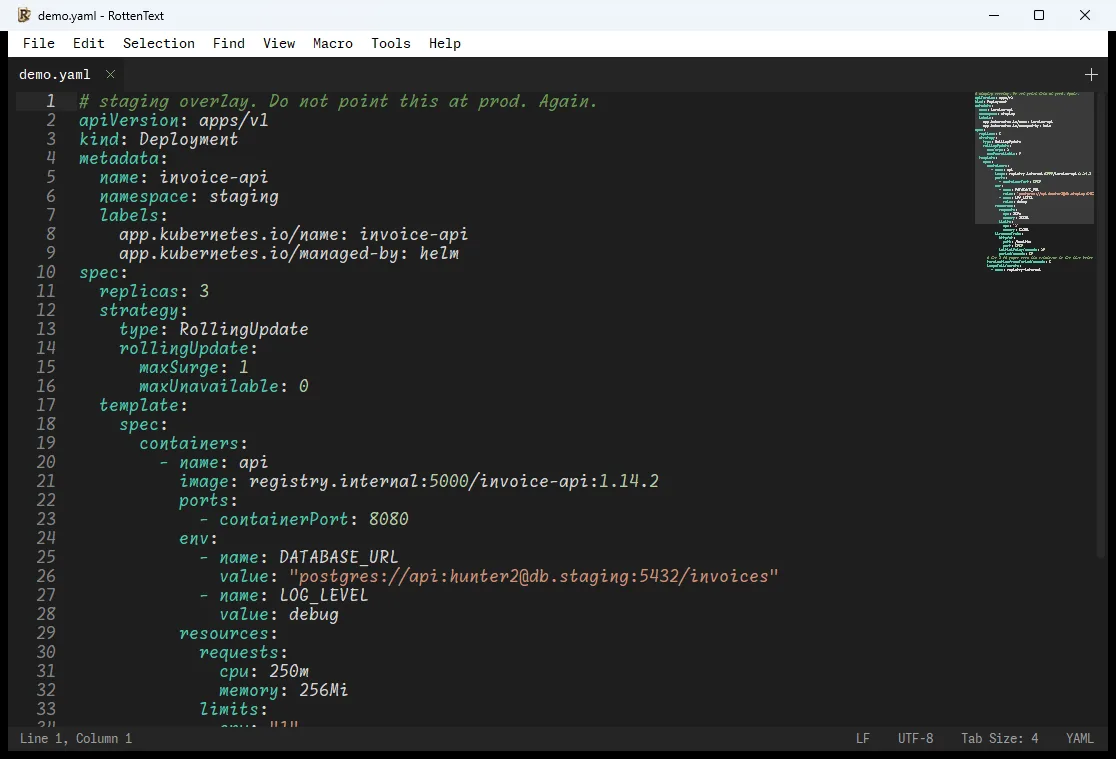
The RottenText window showing a configuration file with syntax highlighting, line numbers, a minimap on the right, and a status bar reporting line endings, encoding and detected language.

A small, fast editor carrying a toolbox, so the conversions you would otherwise hand to a stranger's web page happen on your own machine.

What it actually does

  • Unscramble and rescramble the values you find in configuration files, without a browser tab
  • Read a certificate: who issued it, what it covers, when it expires, whether it is any good
  • Check and tidy JSON, XML, YAML, INI and TOML, and find the duplicate setting that silently won
  • Work out what a network range contains, and what a cryptic scheduled task will actually do
  • Make sense of a log: sort it, merge two of them, count what matters, compare against another file
  • A proper hex editor for the files that are not text at all, in a tab next to the ones that are

Windows · Linux · macOS
Latest: v1.9 Windows, Linux, macOS. GPL-2.0. Hosted on GitHub.

github.com/clamy54/rottentext

RottenSSHrimp

A rotten approach to remote administration.

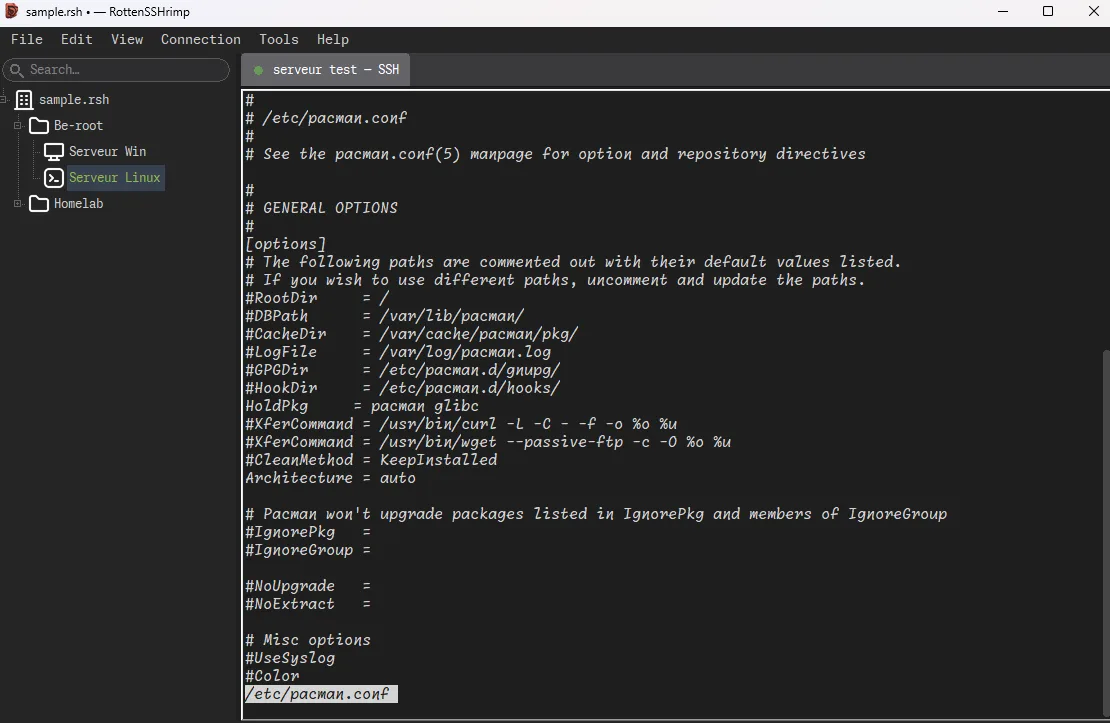
The RottenSSHrimp window: a searchable tree of machines on the left, grouped in folders, and a terminal session on the right.

Every machine you look after in one window, with your passwords and keys in a single encrypted file that stays on your disk.

What it actually does

  • Terminals, remote desktops and a local shell, all as tabs in the same window
  • Up to sixteen machines side by side: watch them all, type at one, or type at every one at once
  • File transfer with two panels, a queue you can pause, and a download that resumes instead of restarting
  • Reach machines that have no route to your desk, through one that does
  • Tunnels that open with the terminal and die with it, so none is left propped open for three weeks
  • Passwords, keys, and hardware security keys. Nothing is ever written to disk unencrypted

Windows · Linux · macOS

Latest: v2.0 Windows, Linux, macOS. GPL-3.0-or-later. Hosted on GitHub.

github.com/clamy54/rottenSSHrimp

Rottentree

A rotten tree for directories nobody has pruned since 2011.

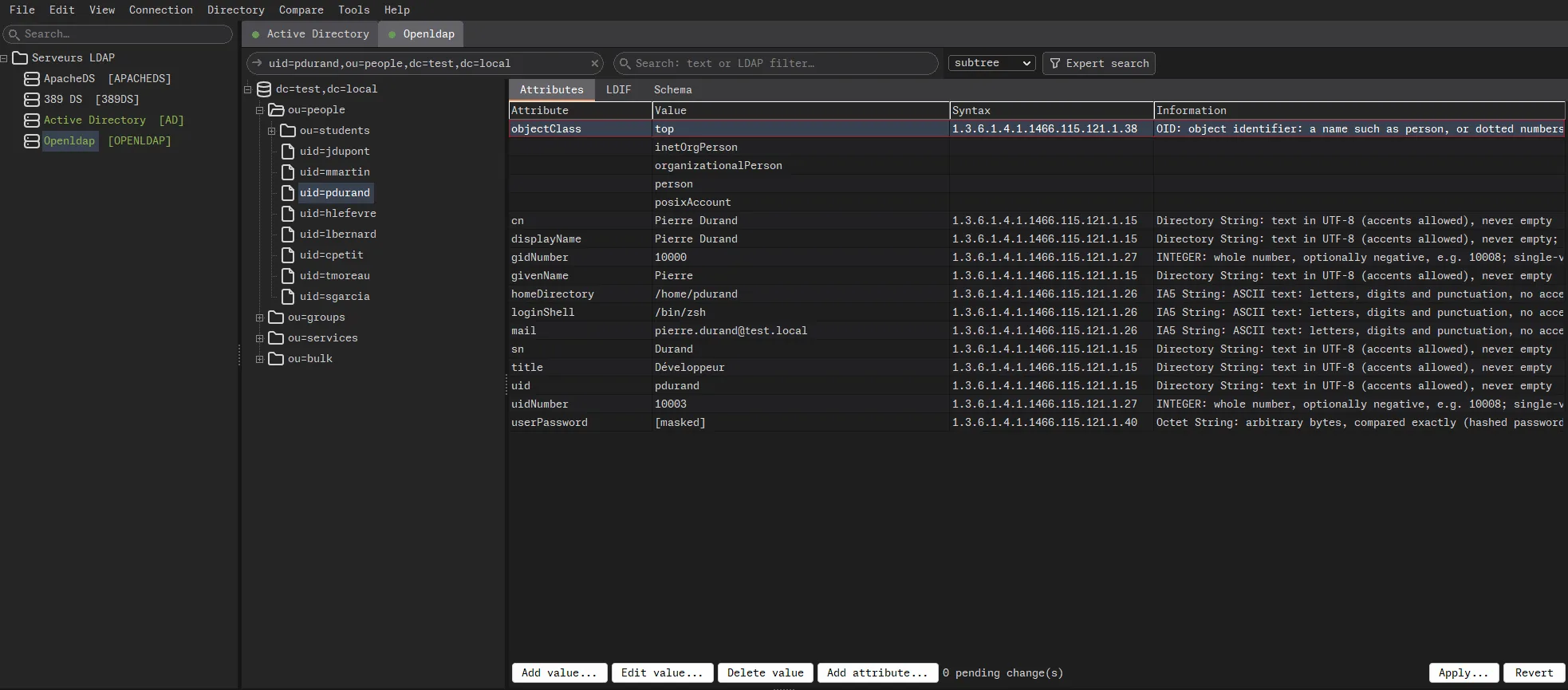
The Rottentree window: connection profiles on the left, each tagged with its server type, the tree of an OpenLDAP base in the middle, and on the right the attributes of a user with the syntax of each one explained in plain words.

An LDAP and Active Directory client that reads freely and writes reluctantly: every change is shown exactly as it will be sent, before anything leaves.

What it actually does

  • Browse the tree one level at a time, including the server's own configuration when your account can read it
  • Edit with a preview of every operation, and say outcome unknown when the link drops, instead of guessing
  • Search with a filter builder that reads the filter back in plain words, and admits when a result was cut short
  • Import and export LDIF, or open an LDIF file as if it were a server and copy branches to a live one
  • Read, check and generate stored passwords, and point at the ones still on a weak digest
  • Active Directory accounts, groups and policies, and a comparison of 2 to 16 replicas that rarely agree

Windows · Linux · macOS

Latest: v1.0 Windows, Linux, macOS. GPL-3.0-or-later. Hosted on GitHub.

github.com/clamy54/rottentree

Origin

Why this exists

There was no roadmap. There was a Tuesday, a certificate that had expired eleven hours earlier, and a browser tab open on a website offering to decode things for free and asking nothing in return, which is not how anything has ever worked.

Everything here started as a small annoyance that happened often enough to become a habit. Reading a password out of a configuration file four steps at a time. Rebuilding the same connection command because one machine answers on a strange port. Keeping forty server names in a file whose format has changed three times and whose backup situation is best described as theoretical.

None of that is difficult. That is precisely the problem. It is easy, it is repetitive, and it happens while you are trying to think about something else, which is exactly when the right command reaches the wrong machine.

Ten seconds saved, several times a day, for the rest of an on-call career. It is not a compelling pitch. It is just true.

Shape of the thing

What makes these different

Real applications, not a browser in a costume

Compiled programs, drawn with the buttons and menus your operating system already has. No web browser hidden inside, no three hundred megabytes of framework so that a terminal can have rounded corners. They open in under a second, and the window that appears is the whole product. There is no second window where the good features live behind a Pro badge.

The features came from incidents

Nothing here was designed in a workshop. The log tools exist because two files had to be lined up at 02:40. The resumable file transfer exists because somebody watched a four gigabyte download die at ninety-seven percent and replace the good copy with the bad one.

Careful in the places that hurt

Saving a file never empties it first, so a power cut leaves you with yesterday's version rather than half of each. A failed write says the file is now a mixture, instead of saying Saved. A server that suddenly looks different stops you before you type the password. None of this is clever. All of it is missing from tools people use every day.

Honest about what it cannot do

The token reader says loudly that it cannot tell you whether a token is genuine, because it has no way to. The ping tab reports no reply, never down, because plenty of healthy machines have been ignoring ping since 2018. A tool that overstates itself is worse than no tool, because you will quote it in an incident report.

Local by default

Your data stays where it is

None of the applications has an account, a sync service, a workspace, a team plan or a seat. There is nothing to log into, which removes an entire category of question from your next security review.

No usage statistics. No crash reports. No update check mentioning that you launched it at 3 a.m. again. In RottenText every conversion happens inside the program, and the fields where you type a password never show it, insert it, log it or copy it. In RottenSSHrimp everything lives in one encrypted file behind a master password, and keys are never written to disk unencrypted. Rottentree does the same with your directory profiles, and talks to no server you did not configure.

This is not a security guarantee and it is not sold as one. Nothing here is unbreakable, nothing has been audited, and the licences say so at length and in capital letters. What it does mean is narrow and useful: the thing you decoded was decoded here, and the list of your machines, and of your directories, is on your disk rather than in somebody else's incident report.

Source

Open, and readable if you insist

All three are free software, and the source is on GitHub. Each repository carries a full list of every other project and typeface that ends up in a build, its licence, and what somebody repackaging it has to do about it. Those files exist because redistribution obligations are real, and reading them once is cheaper than finding out.

Build instructions are in the repositories, written for the three people who insist on compiling everything themselves. Everybody else should take the package.

The name

Why rotten

Because the alternative was a name with a friendly vowel and a pastel logo, and because this job is not glamorous. Certificates expire on Saturdays. The dashboard is green for another five minutes. The temporary machine from 2019 is now holding up the building, and the person who set it up has left, twice.

So the name describes the days, not the work. Think of it as that machine in the corner of the rack called pluto-old-DO-NOT-DELETE-2. Indefensible name. Quietly holding up the entire building. Nobody is allowed near it.

Underneath is the sort of caution you only develop after restoring production from a backup that turned out to be empty. Something in these applications will still annoy you, mind. It will just annoy you locally, offline, for free, and for as long as you keep them.

More about why this exists